
How to Improve Your Google Business Profile
Help customers find your business, understand what you offer and get in touch.
Introduction
Someone can decide not to contact your business before they ever reach your website.
Your Google Business Profile is often your shop window on Google Search and Maps. Customers glance at the services, photographs, opening hours and reviews to decide whether to take a closer look. An old telephone number or conflicting information can lose you an enquiry before you know someone was interested.
You do not need to change something every day. Start by getting the details right, showing the real business and making the next step easy.
Quick Answer
To improve your Google Business Profile:
- Complete and verify your business information.
- Choose categories that accurately describe what you do.
- Explain your services in clear, everyday language.
- Add recent photographs of your business and work.
- Ask customers for honest reviews and respond professionally.
- Publish useful updates with links to relevant website pages.
- Check regularly for incorrect details and suggested changes.
Google describes local ranking in terms of relevance, distance and prominence: how closely your business matches the search, how far away it is and how well known it is. Accurate information helps Google understand your business, but no profile improvement can guarantee a particular position.
In This Article
- Why your Google Business Profile matters
- Complete and verify the essential information
- Choose accurate categories, services and areas
- Write a useful business description
- Add genuine photographs and videos
- Make it easy for customers to leave reviews
- Publish helpful Business Profile posts
- Connect the profile with your website
- Check performance and maintain accuracy
- Avoid shortcuts that can cause problems
- Google Business Profile checklist
- Frequently asked questions
- Need Help With Your Google Business Profile?
1. Why Your Google Business Profile Matters
Local results can appear above much of the ordinary website content. Your profile helps someone quickly establish:
- Whether you provide what they need
- Whether you serve their area
- When and how they can contact or visit you
- What your work or premises look like
- What previous customers think
For example, someone looking for a window repair may check your services, look at a recent job and read a few reviews before calling. They may never visit your website.
Treat the profile with the same care as your website’s main pages. It should answer the questions that help someone decide whether to contact you.
2. Complete and Verify the Essential Information
Claim and verify the correct profile, then check:
- Business name
- Address and map pin, or service area
- Telephone number
- Website address
- Normal opening hours, where applicable
- Holiday and special hours
- Categories
- Services, products and relevant attributes
- Booking or enquiry links, where available
Use the name customers know from your signage, website and business materials. Adding extra services or town names purely for search visibility can breach Google’s guidelines.
If you travel to customers and do not receive them at your business address, follow Google’s guidance for service-area businesses and hide the address from public view.
Where Profile Strength is available, use it to spot missing information rather than treating it as a ranking score.
Also compare your details with your website and main directory listings. If your website says you close at 5pm but Google says 6pm, customers are left guessing.
3. Choose Accurate Categories, Services and Areas
Your primary category should describe the main business as specifically as the available options allow. Google confirms that categories affect local ranking, so this deserves more thought than simply choosing the first plausible option.
Add secondary categories for other genuine parts of the business. You do not need a category for every service. For example, a plumber should not choose “Bathroom supply shop” unless the business actually operates as one.
See Google’s advice on choosing business categories.
Use the Services editor, where available, to list and explain what customers can book. Be specific: “replacement window hinges” tells someone more than “quality solutions”.
If product listings are available, use them for the products your business genuinely sells.
List the areas you actually cover. Adding a distant town does not give you a business location there or remove distance from Google’s local results.
4. Write a Useful Business Description
A good description answers four questions:
- What do you do?
- Who do you help?
- Where do you operate?
- What should customers know about your experience or specialisms?
You have up to 750 characters. Google advises focusing on the business rather than promotions, prices or sales, and does not permit URLs or HTML in the description.
For example, a fictional decorating business might write:
We provide interior and exterior decorating for homeowners and small businesses in Hadleigh, Ipswich and surrounding villages. Our work includes preparation, painting, wallpapering and repairs to existing finishes. Before quoting, we discuss the condition of the surfaces, suitable materials and how the work will fit around your home or working day.
Use details that are true of your business. Specific information is more convincing than claims such as “the best”, “unrivalled service” or “your one-stop solution”.
Read Google’s guidance on editing your business description.

5. Add Genuine Photographs and Videos
Photographs help customers see what they can expect.
Depending on your business, useful subjects include:
- The entrance and exterior, so visitors recognise the premises
- Your workshop, showroom or customer facilities
- Staff carrying out their work
- Completed projects and products
- Parking and access arrangements
Choose clear, recent images of the actual business. A photograph of your own finished work usually tells a customer more than a polished stock image.
Add a recognisable logo and an appropriate cover image, while remembering that Google may choose another image to display prominently.
Upload new photographs when you have something useful to show. There is no need to turn this into a daily task or rely on tricks involving image metadata.
6. Make It Easy for Customers to Leave Reviews
Reviews help people judge whether your business is right for them. Google also says that review numbers and positive ratings can help local ranking.
Make asking for feedback a normal part of finishing a job or completing a sale. Your profile’s review link or QR code makes it easier for customers to find the right place.
Google explains how to share your review link or QR code here.
Ask for an honest review. Do not offer discounts or gifts in exchange, or selectively ask only customers you expect to give five stars. Google’s policies prohibit incentivised reviews and selectively soliciting positive feedback.
Reply in a way that shows you have read the review. A brief, relevant response is enough; every reply does not need to become a sales pitch.
If someone raises a problem, respond calmly, protect their privacy and offer a suitable way to discuss it. Other potential customers will also see how you handle the situation.
7. Publish Helpful Business Profile Posts
Posts give you space to share information that might help someone choose or use your business, such as:
- A new service
- A recently completed project
- Seasonal advice
- An event or genuine offer
- An answer to a common customer question
- A useful website guide
A simple structure is one subject, a useful explanation, a relevant photograph and a clear next step.
For example, a window installer could explain when misted glass can be replaced without changing the whole frame, then link to the page explaining that service.
Send readers to the page that continues the subject. A post about window repairs should lead to the repairs page rather than leaving someone to search the homepage.
Google describes posts as a way to share updates and help customers make decisions. That is a sound reason to use them; it is not a promise that posting more often will improve rankings.
8. Connect the Profile With Your Website
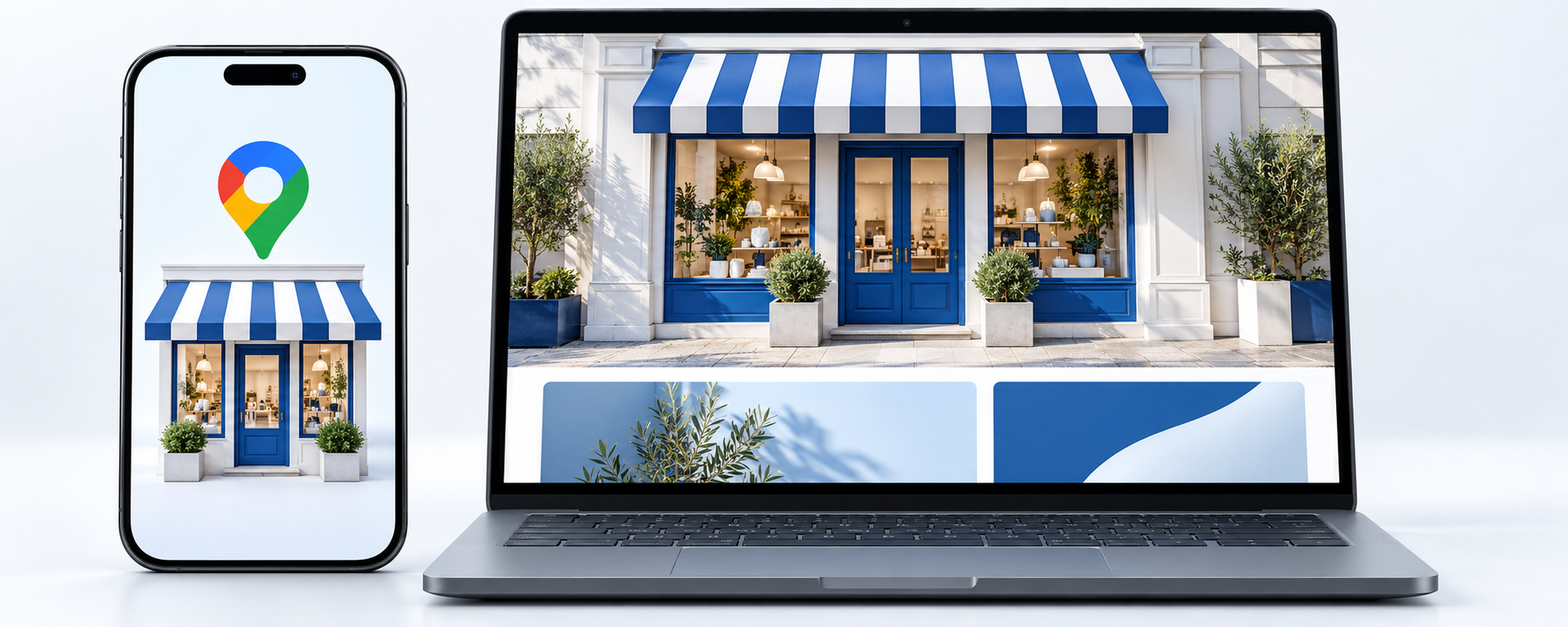
Your profile gives customers a quick introduction. Your website can provide the fuller explanation, examples and reassurance they need.
Check that the two agree about your services, contact details, location and opening hours. Use the appropriate website page for the business or branch, and send booking links directly to the booking page
.
Think of the profile as the shop window and the website as the conversation inside. If the window advertises a service, customers should be able to find out about it easily once they come through the door.
This is especially important when you add a service, change your hours or move premises. Update the other places customers are likely to check, too.
My guide to
Your Website as the Hub: Building a Connected Local Online Presence explains how your website, profile, directories and social accounts can support one another.
9. Check Performance and Maintain Accuracy
A monthly check is a sensible starting point, with immediate updates whenever important details change.
Look for incorrect information, suggested edits, broken links and new customer content. Respond to reviews, and check questions where that feature is available on your profile.
Use the Performance section to see the interactions Google reports, which may include website clicks, call-button clicks, directions requests and bookings. The available measures depend on the business and profile features. A call-button click does not necessarily mean a completed call or enquiry.
Compare these figures with the enquiries you actually receive. Ask new customers how they found you, and look for patterns over time rather than judging success by a single busy week.
10. Avoid Shortcuts That Can Cause Problems
Avoid:
- Adding search terms to the business name when they are not part of its real name
- Creating profiles for addresses or locations that do not qualify
- Selecting unrelated categories
- Buying reviews or offering incentives
- Filling descriptions and service fields with repeated keywords
- Claiming to cover areas you do not serve
Breaching Google’s rules can lead to content removal or profile suspension. Check the rules before following advice that promises an easy route to the top of Maps.
11. Google Business Profile Checklist
Use this for your initial review and future checks:
- Claim and verify the correct profile.
- Check the business name, contact details and website link.
- Confirm the address, map pin or service area.
- Choose an accurate primary category and relevant secondary categories.
- Complete normal and special hours where applicable.
- Add a clear description, services and relevant attributes.
- Upload genuine photographs of the business and its work.
- Ask for honest reviews and reply professionally.
- Publish updates when you have something useful to share.
- Check suggested changes and customer contributions.
- Compare profile activity with actual enquiries and bookings.
12. Frequently Asked Questions
How often should I update my Google Business Profile?
Check it monthly and whenever something changes. Correct inaccurate details promptly, update holiday hours in advance and respond to reviews as they arrive. You do not need to post or upload photographs every day.
Do Google Business Profile posts improve rankings?
Google’s posts guidance focuses on sharing information and helping customers decide. Use posts to explain services, show work and direct people to useful pages rather than treating posting frequency as a ranking target.
Do reviews help local SEO?
Yes. Google says more reviews and positive ratings can help local ranking. Reviews also give potential customers information about other people’s experiences.
Should I add keywords to my business name?
Use your genuine business name. Include service or location words only when they are genuinely part of that name, rather than adding them for search visibility.
Why does my business appear lower than a competitor?
Results depend on the search, the searcher’s location and how Google assesses each business’s relevance and prominence. A competitor may be closer, more closely matched to the request or better established online. A more complete profile does not automatically outrank every alternative.
If your business is missing altogether, start with Why Is My Business Not Showing on Google?
Why does Google keep changing my business information?
Google can use information from other sources and user contributions to update profiles. Review changes, correct mistakes and check whether outdated information elsewhere online needs updating too.
Need Help With Your Google Business Profile?
An accurate profile saves customers from having to work out whether you offer the right service, cover their area or are open when they need you.
If yours has been neglected, or you struggle to decide what to publish, I can review it alongside your website and help with the details, photographs and content.
Find out about my
Google Business Profile & Social Content service, or
get in touch to discuss what needs attention.