
Your Website as the Hub: Building a Connected Local Online Presence
How your website, Google Business Profile, reviews and carefully selected platforms work together to build trust, strengthen local visibility and guide customers towards the right information.

Introduction
A customer searches for your business and finds three different telephone numbers, two versions of the address and a Facebook page that has not been updated for years. Nothing looks seriously wrong, but nothing quite joins up either.
That uncertainty matters. Customers may question whether the business is still operating, which details are correct or whether they have found the right company. Search systems are also being given an unnecessarily confused picture.
Your website should be the main customer-facing source of information that the business controls. Google Business Profile, reviews, selected directories, relevant social media and offline materials should support the same recognisable business.
This guide explains how those parts fit together, which platforms deserve the most attention and which common shortcuts can do more harm than good.
The aim is not to create an account everywhere. It is to build a connected system that helps suitable customers discover, understand and contact the business.
Quick Answer
Your website should act as the hub because it can explain services fully and provide stable, detailed information that the business controls. External platforms support discovery, verification, reassurance and useful routes back to it.
Think of the website as the business’s head office. Google Business Profile, Maps, reviews, directories and social channels are its signposts, shop windows and recommendations. They perform different jobs, but they should all represent the same organisation.
For many local businesses, Google Business Profile is the most important external platform. Its information must reflect the real business and follow Google’s rules rather than being manipulated simply to attract searches.
Priorities vary. LinkedIn may suit a technical B2B company, Instagram a highly visual business, while some firms need little social media at all. The objective is one clear and trustworthy picture wherever customers encounter the business.
See How Helpful Blog Articles Build Trust, Authority and Search Visibility for how useful articles can support service pages and demonstrate expertise.
Contents
- What Does “Website as the Hub” Mean?
- Why the Website Remains the Central Business Asset
- Why the Complete Picture Matters
- Google Business Profile: The Most Important External Profile
- Why Google Business Profile Must Be Used Correctly
- Google Maps and Local Search Visibility
- Customer Reviews and Reputation
- Selected Local and Industry Directories
- LinkedIn and Relevant Social Media
- Consistent Business Names, Addresses and Contact Details
- Branded Documents, Signs and Offline Presentation
- Giving Every Channel a Useful Route Back to the Website
- Common Mistakes That Can Weaken Visibility
- Building the Right System for the Individual Business
- Connected Online Presence Checklist
- Final Thoughts
1. What Does “Website as the Hub” Mean?
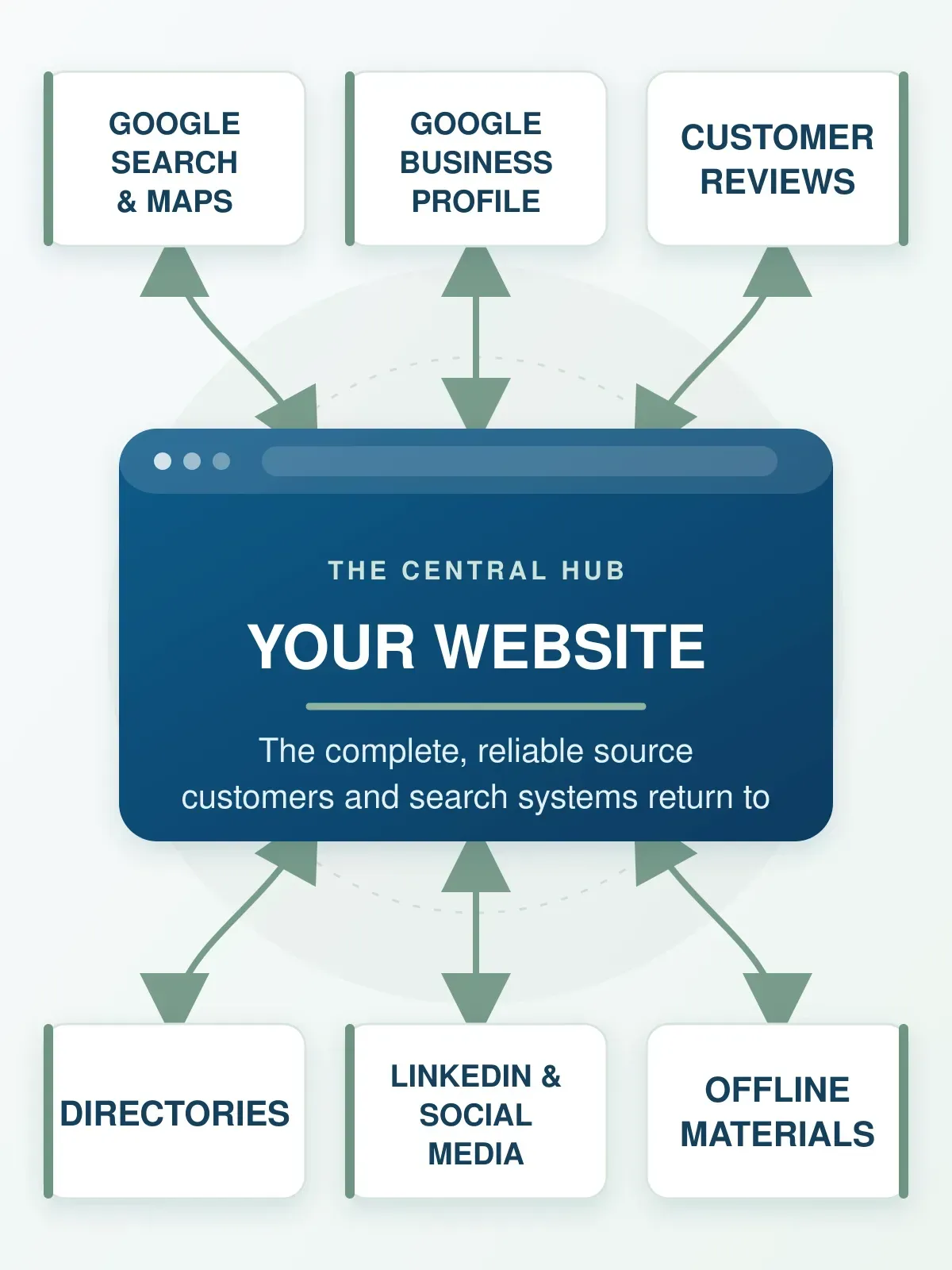
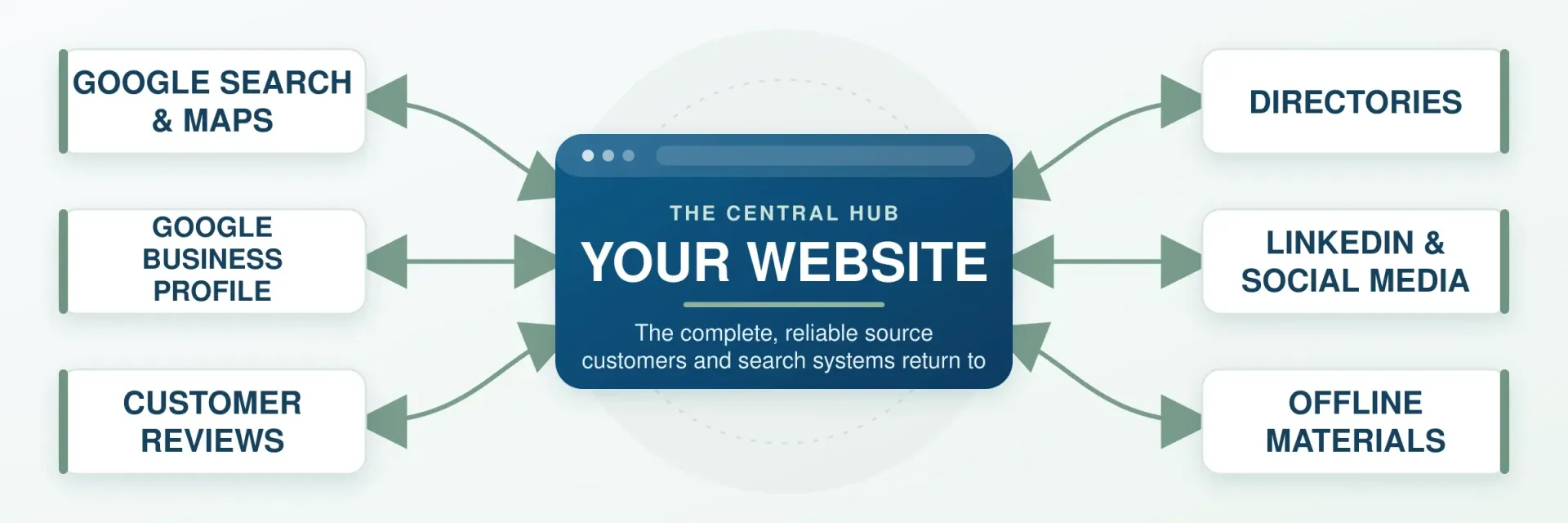
Think of the business’s wider presence as a spider’s web, with the website at its centre.
The surrounding strands might include Google Business Profile, Maps, reviews, directories, YouTube, LinkedIn, social media and independent articles. The same identity should also continue through quotations, email signatures, vehicles, brochures and signs.
Customers may enter the web almost anywhere. A Google Maps result may lead to a location page, a video to a service page and a social post to a useful article. Each route should bring them closer to the information or action they need.
Discovery, Evidence and Action
Different parts of the system perform different jobs:
- Discovery: Search, Maps, directories, videos, social posts and independent articles can introduce the business.
- Evidence and reassurance: Reviews, projects, photographs, memberships, LinkedIn profiles and independent mentions can build confidence.
- Information and action: Website pages, articles, forms, booking systems and contact details help customers make a decision.
Problems arise when every platform repeats the same shallow description or sends people to a homepage that cannot answer their next question.
2. Why the Website Remains the Central Business Asset
Social platforms and directories can be valuable, but they are rented space. Their features, rules and visibility can change, and accounts can be restricted or lost.
The website is the principal online asset the business controls. It can organise detailed information around customers’ needs, including:
- Clear explanations of principal services
- Individual product and location pages
- Original photographs and completed projects
- Helpful articles answering customer questions
- Team, qualification and case-study evidence
- Current contact details and opening hours
- Enquiry, booking or purchasing routes
Google describes SEO as helping search engines understand content and helping users decide whether to visit a site. The website should therefore normally contain the fullest and clearest explanation of the business, its services and the next step for the customer. Google’s SEO Starter Guide explains this further.
However, the website is not the only source Google may use. Google can draw on official websites, Business Profiles, public sources, licensed data and user contributions. The website is best understood as the main business-controlled hub within a wider information ecosystem.
For a closer look at why attractive design alone is not enough, read A Good-Looking Website Isn’t Always a Good Business Website, which explains how design, content, usability and SEO must work together to support real business goals.
3. Why the Complete Picture Matters
Customers rarely judge a business from one source. Someone may discover it in Maps, read reviews, visit the website and then look at LinkedIn before making contact.
Imagine a builder whose website shows one telephone number, directory listings show another and an old social profile gives a previous address. Each listing might appear plausible, but together they create doubt about which information is current.
Google can also use information from several sources when understanding businesses and organisations. Its guidance on establishing business details explains how an official website, Business Profile and appropriate structured data can help establish an online presence.
Consistency does not mean copying the same paragraph everywhere. It means agreement on the important facts: who the business is, what it provides, where it operates and how customers can contact it.
If the website remains difficult to find despite a wider presence, Why Is My Business Not Showing on Google? explains the discovery, indexing, content and authority issues that may be involved.
4. Google Business Profile: The Most Important External Profile
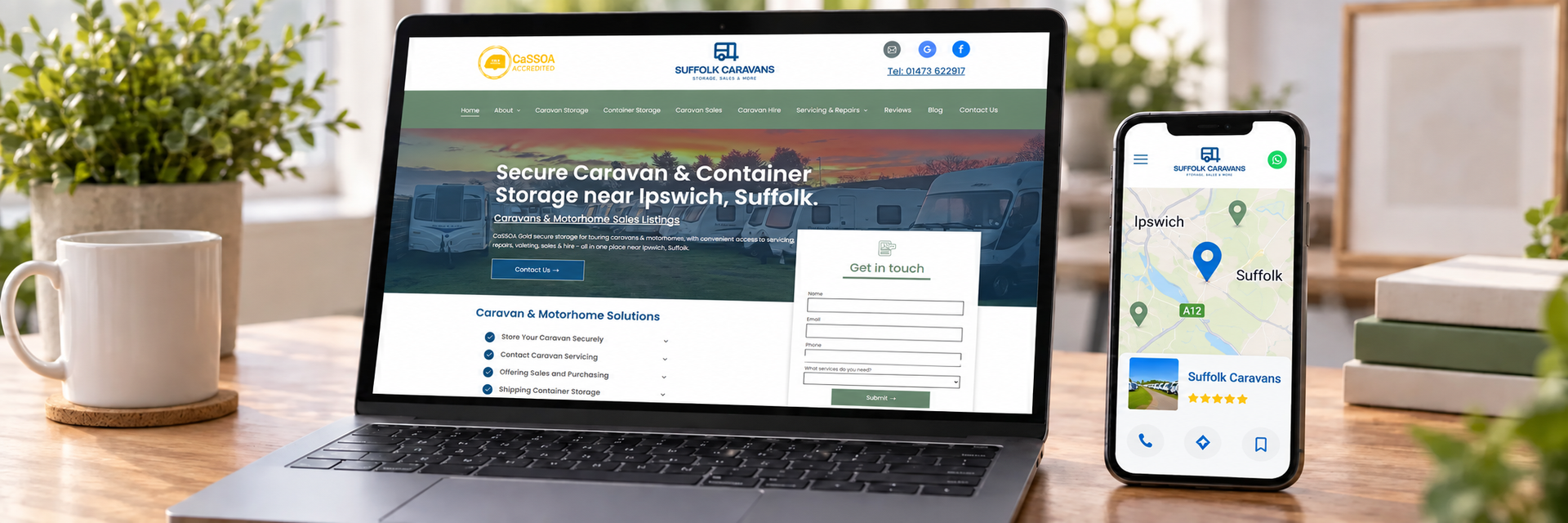
For many local businesses, Google Business Profile is the most important external platform. It acts like a shopfront within Google Search and Maps, presenting essential information when somebody needs a nearby service, product or location.
A useful profile can show:
- The real business name and primary category
- A customer-facing location or service area
- Opening hours and contact details
- The website and relevant action links
- Services, photographs and updates
- Customer reviews and responses
A verified Business Profile allows an authorised business to provide information that can appear across Search and Maps. Google may also use information from other sources when building and updating business details.
The profile cannot replace the website. Its role is to introduce the business, provide essential information, offer reassurance and direct customers towards an appropriate action or page.
For help with categories, photographs, reviews and updates, see How to Improve Your Google Business Profile.
5. Why Google Business Profile Must Be Used Correctly
Google Business Profile is valuable, but it is not a blank advertising panel. Its details need to match reality, much like the information on a driving licence or an official business document.
Business Name
Use the real-world name shown on the business’s signage, stationery and branding. Adding services, keywords or towns simply to influence searches is not legitimate optimisation.
Primary Category
Choose the category that best describes the principal business. Additional categories should represent genuine activities, not a list of desired search terms.
Address and Service Area
A customer-facing location and a service-area business are different.
A business that travels to customers but does not serve them at its address should generally hide the address and use an appropriate service area. A genuine hybrid business that serves customers at its premises and also visits them can use both. See Google’s guidance for service-area and hybrid businesses.
Virtual offices, borrowed addresses and locations without a genuine presence should not be used to manufacture visibility in additional towns.
Contact Details, Hours and Website
Telephone numbers, opening hours and website links must remain current. Where appropriate, a specific service or location page may be more useful than sending every visitor to the homepage.
Completeness helps only when the information is accurate. Google’s Business Profile guidelines explain how businesses should represent themselves.
6. Google Maps and Local Search Visibility
Google explains that local results are mainly based on relevance, distance and prominence.
- Relevance reflects how closely the business matches what somebody is searching for.
- Distance considers how far the business is from the searcher or the location used in the search.
- Prominence reflects how well known or established the business appears.
Local search works a little like asking people in a town for a recommendation. They are likely to consider whether a business provides the right service, whether it is reasonably nearby and whether it appears established and trusted.
Complete information can help Google understand relevance. Reviews, relevant links, independent mentions and the wider reputation of the business can support prominence. Repeating a town name, however, cannot remove the distance factor.
Google’s guidance on local ranking also makes clear that businesses cannot request or pay Google for better organic local placement.
A Business Profile may introduce the business through Search and Maps, while the website supplies the detail. Neither can compensate for every weakness in the other.
7. Customer Reviews and Reputation
Reviews are the digital form of word-of-mouth. They reduce uncertainty by showing how genuine customers experienced the business.
Reviews are most useful when they are:
- Written by genuine customers
- Collected through a normal customer-feedback process
- Specific enough to be informative
- Attached to the correct profile
- Answered professionally
Google allows businesses to share a review link or QR code and recommends helpful responses. See Google’s customer-review guidance.
Reviews must not be bought, invented or exchanged for discounts, gifts or other incentives. Google also prohibits discouraging negative reviews or selectively asking only customers expected to leave positive feedback.
Genuine testimonials can appear on the website with suitable permission and context. They should not be converted into misleading rating or review markup. Google applies specific restrictions to review snippets for local businesses when the business controls the reviews about itself.
8. Selected Local and Industry Directories
Directories are signposts. A few accurate and relevant ones are usually more useful than hundreds of low-quality listings pointing in different directions.
A directory may be worthwhile when it is:
- Well known in the local area
- Relevant to the industry
- Used by potential customers
- Connected with a genuine professional body or membership
Examples include a trade association, chamber of commerce, approved-installer scheme or respected local directory.
Automated submissions can create duplicates, forgotten accounts and incorrect details. Record important listings so they can be updated after a move, new telephone number or rebrand.
The objective is not the greatest possible number of mentions. It is a manageable selection of useful references.
9. LinkedIn and Relevant Social Media
Social-media priorities depend on the audience, the nature of the business and the time available to maintain each account.
LinkedIn can be particularly useful for:
- B2B companies
- Manufacturers and engineering businesses
- Consultants and professional services
- Technical specialists
- Recruitment, networking and reaching decision-makers
It can distribute articles, demonstrate expertise and introduce the people behind the business.
Facebook and Instagram
Facebook may suit community awareness, customer updates and events. Instagram often suits visual sectors such as food, interiors, weddings, fashion and landscaping.
A B2B supplier may prioritise LinkedIn. A restaurant may prioritise Instagram. A plumber may gain more from a strong Business Profile, useful service pages and genuine reviews than from daily social posts.
An abandoned account can weaken confidence, so each platform needs a purpose and realistic maintenance plan. Social media is a supporting channel, not the foundation of the online presence.
Google Business Profiles may also display supported social-media links, although availability can vary by region and profile. See Google’s social-link guidance.
10. Consistent Business Names, Addresses and Contact Details
Giving customers conflicting details is like giving them three different postcodes and expecting them to choose the right destination.
Check the following wherever the business appears:
- Business and trading names
- Legal name where relevant
- Address or service-area presentation
- Telephone number and email address
- Website address and opening hours
- Principal services
- Logo and core branding
Consistency means agreement on important facts, not identical wording.
A LinkedIn description, Business Profile and service page do not need to repeat the same copy. They should describe the same business without leaving customers to decide which information is correct.
The legal company name may legitimately differ from the trading name. Where necessary, explain the relationship rather than forcing one name into every field.
11. Branded Documents, Signs and Offline Presentation
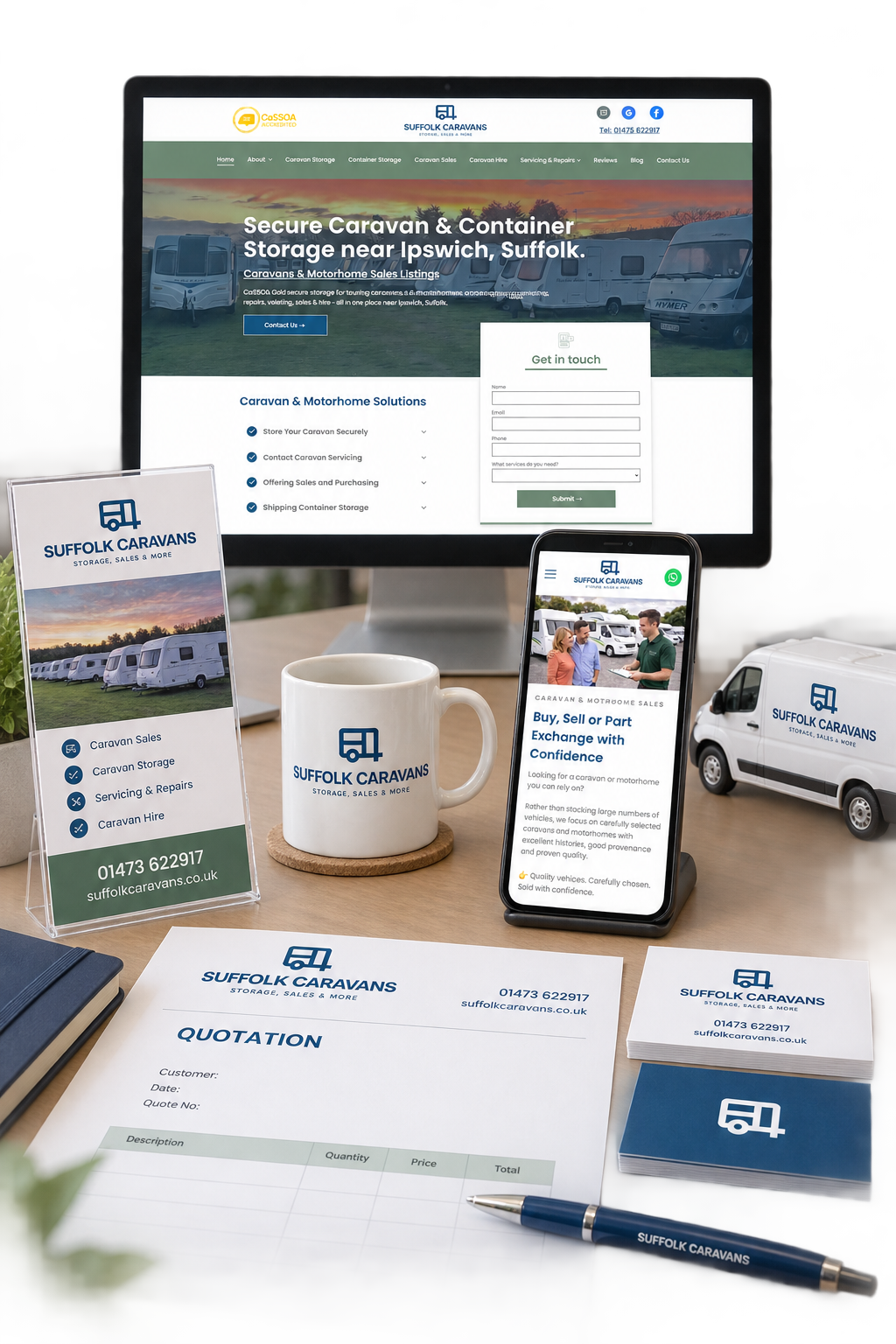
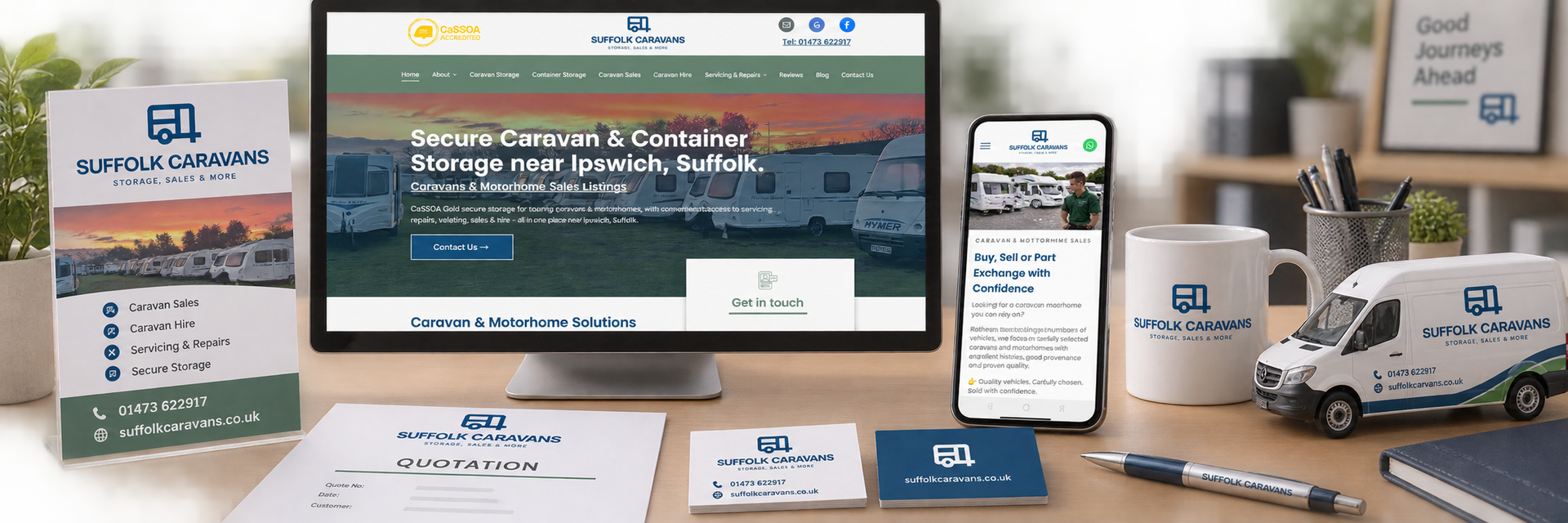
The connected picture continues offline. Quotations, email signatures, vehicles, business cards, brochures and signs are the physical expression of the same business customers see online.
These materials are often where outdated information survives longest. A website may show the new telephone number while an old quotation template, brochure or vehicle still displays the previous one.
Google expects the Business Profile name to reflect the business’s real-world branding. Keeping online and offline details aligned also helps customers recognise that they have found the genuine organisation.
Include offline materials in any rebrand, relocation or contact-detail review, not as an afterthought once the website has changed.
12. Giving Every Channel a Useful Route Back to the Website
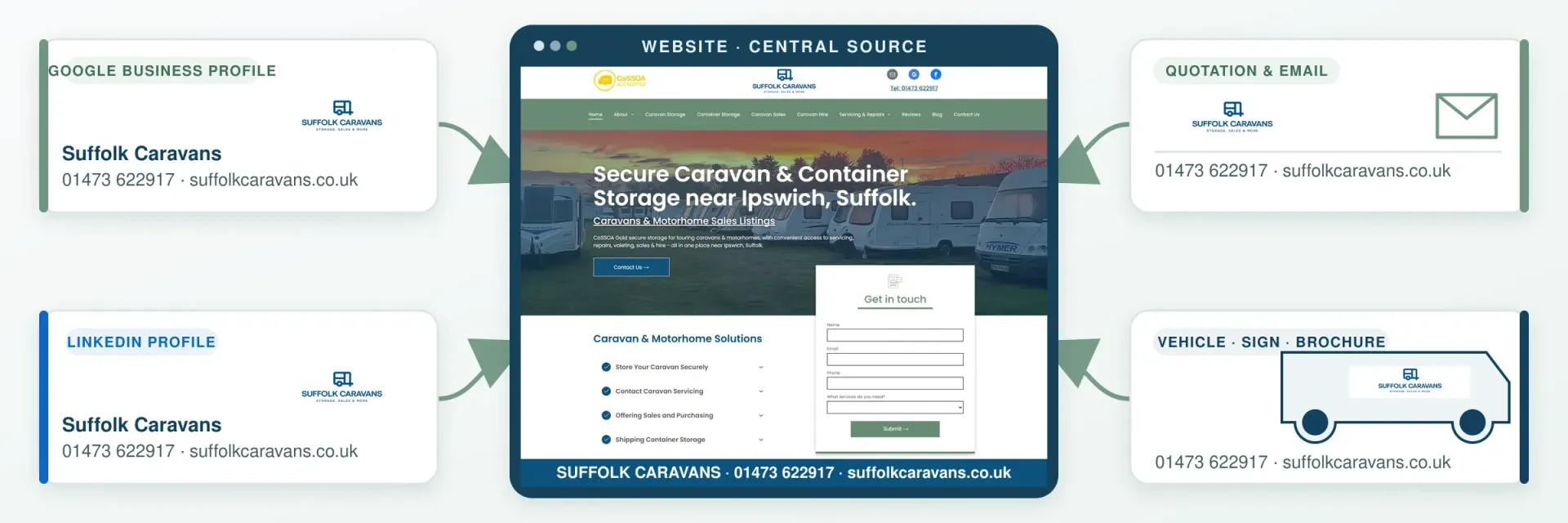
Every important platform should act as a clear signpost towards the next useful step.
- A Google Business Profile should link to the correct website or relevant location page.
- A directory should use the preferred secure website address.
- LinkedIn and social profiles should link to the business website.
- Relevant posts can lead to supporting service pages or articles.
- Email signatures and printed material should provide a working website route.
The destination matters. A technical post may lead to a detailed explanatory article, while a service post should normally lead to the page explaining that service, not automatically to the homepage.
The same principle applies when deciding whether your business needs local landing pages: each page should answer a genuine customer need.
Business Profile posts can include action buttons directing customers to learn more, book or complete another appropriate action. Where eligible, profiles can also support booking, reservation and ordering links.
The journey should feel continuous:
Discovery → information → reassurance → action
13. Common Mistakes That Can Weaken Visibility
The five most damaging mistakes are usually:
- Misrepresenting the business name, location or eligibility
- Publishing conflicting contact details
- Buying, incentivising or filtering reviews
- Sending customers to weak, irrelevant or broken pages
- Creating more profiles and listings than the business can maintain
Other common problems include:
- Selecting Business Profile categories as though they were keywords
- Creating profiles where no legitimate customer-facing location exists
- Publishing low-quality directory listings
- Leaving social accounts visibly abandoned
- Rebranding online while leaving signs and documents unchanged
- Publishing conflicting descriptions of the principal services
- Using inaccurate or misleading structured data
Consequences depend on the mistake. Inconsistent details can confuse customers. Business Profile violations may result in rejected changes, restrictions or removal of information. Review violations can lead to content being removed. Search spam violations may result in reduced visibility, lower rankings or removal from Search, including manual actions where applicable.
Knowing the rules is not enough. Each part needs to be configured, checked and maintained correctly.
My modern SEO service explains how I apply research, content, structure, technical optimisation and page-specific schema to service pages and supporting articles.
14. Building the Right System for the Individual Business
There is no universal platform list. Choosing channels is like choosing tools: the right selection depends on the job.
Establish Account Ownership First
Before expanding, confirm who controls each important account.
Businesses sometimes discover that a former employee controls a social account, an agency holds the only login or a previous owner remains attached to the Business Profile. Recovery becomes difficult when old contact details are no longer available.
Record the administrator, recovery details and responsible person. The business should retain appropriate ownership and recovery access rather than depend entirely on an employee or supplier.
Select Platforms for a Clear Reason
Consider:
- Is the business local, national or international?
- Does it receive customers, travel to them or both?
- Is the audience consumer, trade, professional or mixed?
- Are purchases visual, technical, urgent or relationship-based?
- Where do suitable customers look for the service?
- Which platforms can be maintained properly?
- What information must the website provide first?
Sequence matters. Promoting an incomplete website sends customers to an unconvincing destination. Creating listings before confirming core details creates corrections. Requesting reviews before resolving duplicate profiles may place valuable feedback in the wrong location.
Complete the central website, configure the principal profiles carefully and expand only when another platform has a clear purpose.
15. Connected Online Presence Checklist
At a Glance
A connected system needs five things:
- A complete and useful website
- An accurate Google Business Profile
- Genuine evidence and reviews
- Consistent business details
- Clear ownership and ongoing maintenance
Use the full checklist to review the current position:
- Is the website complete, current and useful?
- Is the Google Business Profile claimed, verified and configured correctly?
- Do its name, category, address or service area reflect the real business?
- Are its telephone number, website and hours current?
- Are genuine reviews requested without incentives, filtering or pressure?
- Are useful directories prioritised and outdated listings corrected?
- Do LinkedIn and social profiles suit the actual audience?
- Do important platforms link to the most relevant website pages?
- Do online and offline details describe the same business?
- Does the business retain ownership and recovery access?
- Have duplicate or obsolete profiles been addressed appropriately?
- Is somebody responsible for maintenance and measurement?
The aim is a reliable system that helps suitable customers discover, understand and contact the business.
16. Final Thoughts
A connected online presence works like a spider’s web. Wherever somebody first encounters the business - Search, Maps, a review, directory, social post or printed brochure - there should be a clear route towards the centre.
That centre is the website: the main customer-facing asset the business controls and the place where its services, evidence and next steps can be explained properly.
The surrounding strands do not need identical wording, but they should describe the same genuine business. When the details agree and every channel has a purpose, customers can move naturally from discovery to understanding, reassurance and action.
Building a More Connected Online Presence?
I plan and build small-business websites and connected online presences that bring useful content, modern SEO, Google Business Profile and carefully selected supporting platforms together.
If your online presence feels fragmented, or you are unsure which platforms genuinely deserve your time, I can provide an honest assessment and a practical order of priorities.